
BEINCOURT CourtCapture
The New Standard for Courtroom Recording
What is CourtCapture?
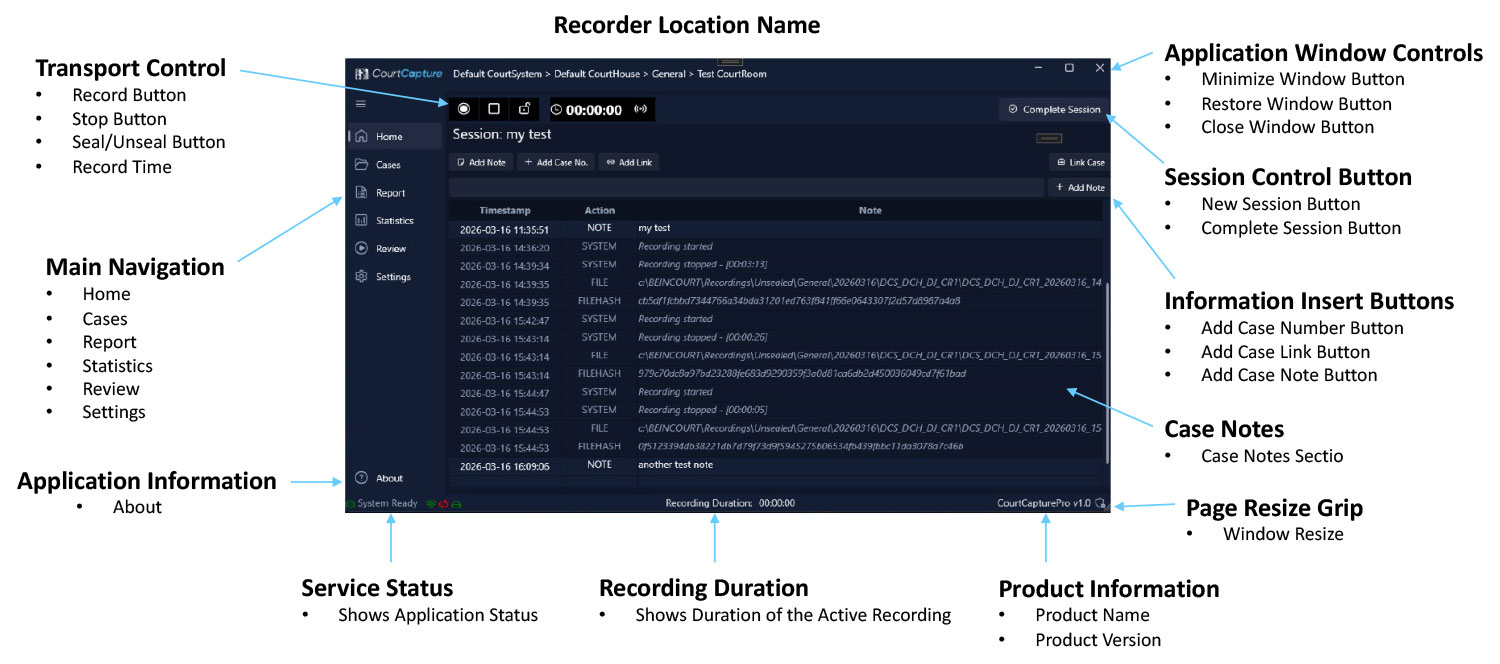
CourtCapture is a state‐of‐the-art recording solution built specifically for courtrooms. Engineered for both reliability and flexibility, it comes in two editions: Lite and Pro Edition. Whether you need a simple, effective system or a full-featured recording and management suite, CourtCapture delivers high-quality audio and video capture with features designed for secure evidentiary recording and streamlined case management.
Why Choose CourtCapture?
CourtCapture has been meticulously designed with the needs of courtroom professionals in mind. Its robust feature set— ranging from basic recording capabilities in the Lite edition to advanced, secure, and automated functions in the Pro Edition — ensures that it meets the diverse needs of the modern court technology. With scalable input options, secure file management, and advanced integration features, CourtCapture offers a future-proof solution that enhances courtroom efficiency and the integrity of the record.
Key Features

Reliability:
CourtCapture is optimized for the demanding environments of courtrooms, ensuring recordings are accurate and secure.

Tailored Solutions:
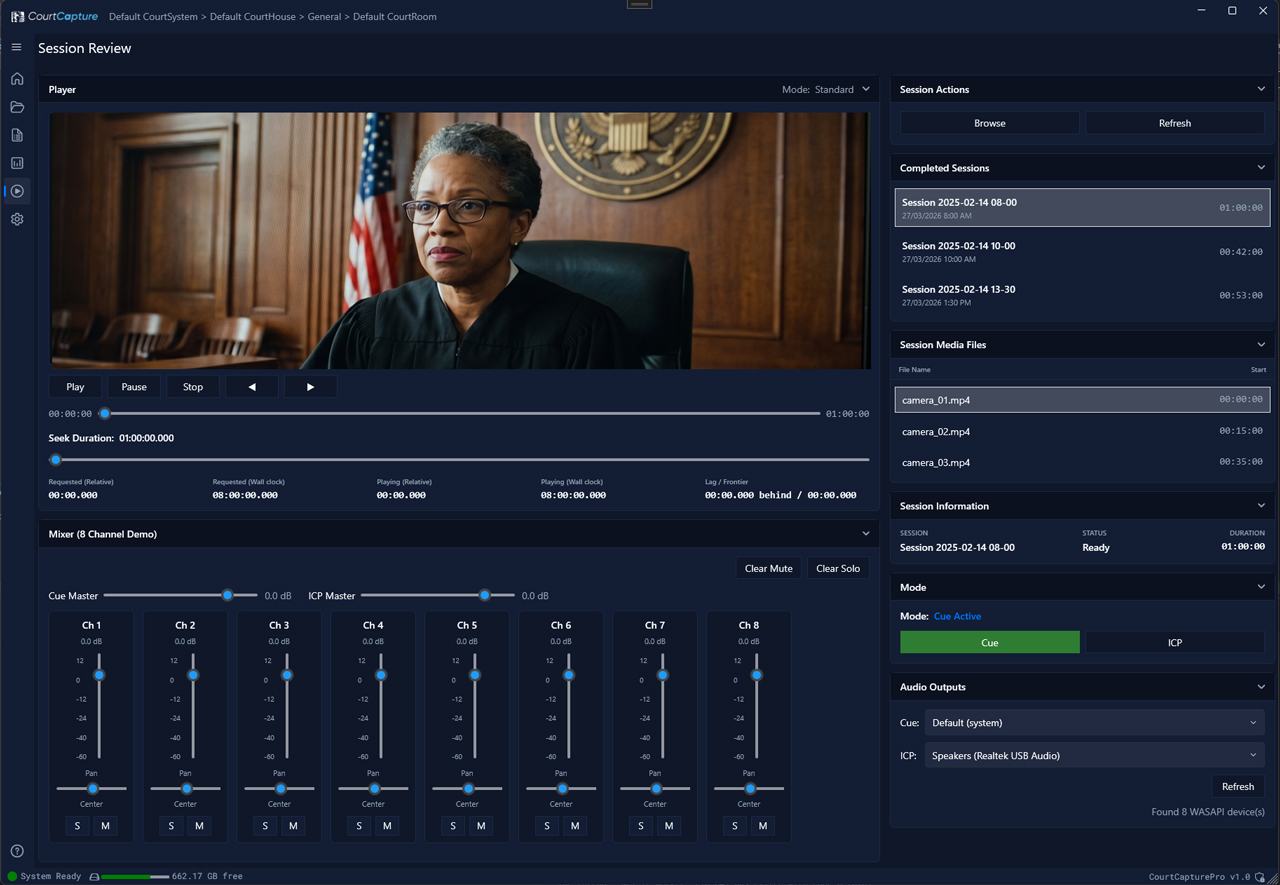
Choose from Lite for essential recording needs or Pro for advanced functionalities such as multichannel audio/video, metadata management, and remote monitoring.

Secure & Compliant:
Features like seal/unseal, file hash generation, and controlled access ensure the integrity of the record.

Local Capture. Flexible Storage

Flexible Integration:
Seamlessly integrates with conferencing systems, Crestron panels, and case management workflows.
Future-Ready:
With an open roadmap for additional functionalities (such as video stripping and enhanced storage management), CourtCapture evolves with your courtroom technology needs.
Advanced Features

AUDIO CHANNEL ISOLATION & NAMING:

ANNOTATIONS & SEAL/UNSEAL OPTIONS:
Both editions support real-time annotations; however, Pro edition includes retrospective annotations and more comprehensive sealing functions.

REPLICATION & AUTOMATION:
Lite requires manual replication while Pro edition automates the process.

METADATA & FILE HASHES:

CONTROL & MONITORING:
Integration with Crestron panels, remote control, confidence monitoring, and disk utilization management are all available in the Pro edition.

ADDITIONAL TOOLS:
Pro edition includes features such as dedicated EPS capture, Real-time streaming to various locations to facilitate public or media viewing, remote real-time transcription by Court Reporters, or remote interpretation, remote monitoring, streaming options (to the public domain, to remote Court Reporters, and remote interpreters), scheduled recordings, playback speed controls, and compatibility with case management
Court Capture Lite Vs Court Capture Pro Edition
*Future Builds